NECO Result 2026 Is Officially Out: 58.67% Secure Five Credits Including English, Maths

The NECO Result 2026 is officially out. The National Examinations Council (NECO) has released the results of the 2026 Senior School Certificate Examination (SSCE) Internal for candidates who participated in the examination.
According to the results released by NECO, 804,948 candidates, representing 58.67 per cent, obtained at least five credits including English Language and Mathematics.
The council also disclosed that 1,162,118 candidates, representing 84.70 per cent, obtained five credits and above irrespective of their performance in English Language and Mathematics.
Candidates who participated in the 2026 NECO SSCE Internal examination can now proceed to check their results online through the official NECO Results Portal.
NECO Result 2026 Is Out
The National Examinations Council announced the release of the 2026 SSCE Internal results on Thursday, September 24, 2026, at its headquarters in Minna, Niger State.
The release brings an end to the wait for thousands of candidates who sat for the examination and have been waiting to access their results.
NECO said a total of 1,378,048 candidates registered for the examination, while 1,371,992 candidates eventually sat for the examination.
The candidates who sat for the examination comprised 678,903 males and 693,089 females.
NECO Result 2026 Performance Statistics
According to the results announced by NECO, the 2026 examination produced the following key statistics:
- 1,378,048 candidates registered for the examination.
- 1,371,992 candidates eventually sat for the examination.
- 804,948 candidates obtained five credits and above including English Language and Mathematics.
- The 804,948 candidates represent 58.67% of those who sat for the examination.
- 1,162,118 candidates obtained five credits and above irrespective of English Language and Mathematics.
- The latter figure represents 84.70% of candidates who sat for the examination.
The figures provide an overview of candidates’ performance in the 2026 SSCE Internal examination.
How to Check NECO Result 2026 Online
Candidates can check their NECO Result 2026 online through the official NECO Results Portal.
Follow the steps below to check your result:
Step 1: Visit the Official NECO Results Portal
Go to the official NECO Results Portal:
results.neco.gov.ng
Make sure you are using the official NECO result-checking portal before entering your examination information.
Step 2: Select the Examination Year
On the result-checking page, select 2026 as your examination year.
Step 3: Select the Examination Type
Select the appropriate examination type for the result you want to check.
For candidates who participated in the school-based 2026 SSCE, select the appropriate SSCE Internal examination option when available.
Step 4: Enter Your NECO Result Token
Enter your valid NECO result-checking token in the required field.
If you do not have a token, you will need to obtain one before checking your result.
Step 5: Enter Your Registration Number
Enter the registration number associated with your NECO examination.
Check the registration number carefully before proceeding.
Step 6: Click “Check My Result”
After entering the required information, click the “Check my result” button.
Your result should be displayed if the information provided is correct and the result is available on the portal.
What Do I Need to Check NECO Result 2026?
Before checking your result, make sure you have the following:
- Your NECO examination year
- Your examination type
- Your NECO result-checking token
- Your NECO registration number
- A smartphone, tablet or computer
- A reliable internet connection
Having these details ready can make the result-checking process faster and easier.
Don’t Have a NECO Result Token?
Candidates who do not have a valid NECO result-checking token will need to obtain one before checking their results through the online portal.
You can learn more about purchasing a NECO result token online through our independent token service.
Buy NECO Result Token Online
After purchasing a token, keep your token and order information safe. Avoid sharing your token publicly.
NECO Result 2026 Not Showing?
If your result is not displayed immediately, do not panic.
Large numbers of candidates may attempt to access the result portal around the same time following the official release. This can sometimes result in slow loading or temporary difficulty accessing the website.
If you experience a problem, try the following:
- Confirm that you selected the correct examination year.
- Confirm that you selected the correct examination type.
- Check your registration number carefully.
- Make sure your token was entered correctly.
- Check that your internet connection is stable.
- Refresh the page and try again.
- Wait and try again later if the portal is experiencing heavy traffic.
NECO Result 2026: Five Credits Including English and Mathematics
One of the major statistics from the 2026 NECO result announcement is the number of candidates who obtained at least five credits including English Language and Mathematics.
NECO reported that 804,948 candidates, representing 58.67%, achieved this benchmark.
The council also reported that 1,162,118 candidates, representing 84.70%, obtained at least five credits regardless of whether English Language and Mathematics were included among the five credits.
These figures are based on the candidates who sat for the 2026 SSCE Internal examination.
NECO Examination Malpractice Cases in 2026
NECO also provided information on examination malpractice during the 2026 examination.
The council reported that 1,406 candidates were involved in various forms of examination malpractice.
This represents a significant reduction compared with the 3,878 cases recorded in 2025.
NECO said the reduction followed strengthened monitoring and examination security measures.
What Should I Do After Checking My NECO Result?
After successfully checking your result, save a copy or screenshot of the result information for your personal records.
If you are preparing for admission into a university, polytechnic, college of education or another tertiary institution, check the admission requirements of your preferred institution.
You may also need your O’Level result details when completing admission or screening processes.
Make sure the names, examination details and other information on your result are carefully reviewed.
NECO Result 2026 Quick Guide
- Visit the official NECO Results Portal.
- Select the 2026 examination year.
- Select your examination type.
- Enter your NECO result token.
- Enter your registration number.
- Click “Check my result.”
- View your NECO Result 2026.
Frequently Asked Questions About NECO Result 2026
Is NECO Result 2026 out?
Yes. The National Examinations Council has officially released the 2026 SSCE Internal results.
What percentage passed NECO 2026 with five credits including English and Mathematics?
NECO reported that 58.67% of candidates who sat for the examination obtained at least five credits including English Language and Mathematics.
How many candidates obtained five credits in NECO 2026?
NECO reported that 1,162,118 candidates, representing 84.70%, obtained five credits and above irrespective of English Language and Mathematics.
How can I check my NECO Result 2026?
You can check your result through the official NECO Results Portal at results.neco.gov.ng. You will need your examination details, registration number and result-checking token.
Where can I buy a NECO result token?
You can purchase a NECO result-checking token through our independent online service at NECO Token.
What if the NECO result portal is slow?
If the portal is slow after the result release, wait for a while and try again. Heavy traffic from candidates checking their results at the same time can affect access temporarily.
Conclusion
The NECO Result 2026 is now officially out, bringing an end to the wait for candidates who participated in the 2026 SSCE Internal examination.
NECO reported that 804,948 candidates, representing 58.67%, obtained five credits and above including English Language and Mathematics, while 1,162,118 candidates, representing 84.70%, obtained five credits and above irrespective of English Language and Mathematics.
If you are ready to check your result, visit the official NECO Results Portal and follow the instructions carefully.
Check Your NECO Result 2026 Now
For a detailed step-by-step guide, read our NECO Result Checker 2026 Guide.
If you need a result-checking token, visit our NECO Token purchase page.
How to Buy NECO Result Token Online in 2026
If you are looking for how to buy NECO result token online in 2026, you can purchase a result-checking token online and use it to check your NECO result through the official NECO Results Portal.
A NECO result token is required when checking your examination result online. This guide explains how to buy a NECO result token online, what you need before making payment, how the token is delivered, and how to use it to check your result.
What Is a NECO Result Token?
A NECO result token is a result-checking token used to access NECO examination results through the official NECO Results Portal.
When checking your result online, you are required to provide information such as your examination year, examination type, result-checking token and registration number.
The token should be kept private after purchase because it is part of the information required to access your examination result.
How Much Is a NECO Result Token in 2026?
The current selling price of a NECO result token on NECO Token is ₦2,500 per token.
This is the price charged by our independent token-selling service and should not be confused with an official NECO examination fee.
Prices charged by independent resellers may vary, so candidates should always check the current price before completing a purchase.
How to Buy NECO Result Token Online
Buying a NECO result token online can be completed in a few simple steps.
Step 1: Visit NECO Token
Visit the NECO Token website at:
https://necotoken.com.ng/
From the website, select the option to buy a NECO result token.
Step 2: Select the Number of Tokens
Choose the quantity of NECO result tokens you want to purchase.
If you only need to check one result, you can purchase one token. If you need tokens for multiple candidates or results, select the required quantity where available.
Step 3: Enter Your Contact Information
Enter a valid email address and phone number during checkout.
Make sure your email address is correct because your order and token delivery information may be sent to the email address provided during the purchase.
Step 4: Complete Your Payment
Proceed to the payment page and complete the payment using the available payment options.
Before confirming the transaction, carefully check the amount and the information you entered.
Step 5: Receive Your NECO Token
After a successful payment, your NECO result token is displayed according to the order delivery process and is also sent to your email address.
Keep your token and order information safe until you have successfully checked your result.
What Do I Need to Buy a NECO Result Token?
You do not need complicated information to purchase a NECO result token online.
It is recommended that you have the following ready:
- A valid email address
- A working phone number
- A smartphone, tablet or computer
- A reliable internet connection
- A supported payment method
You should also make sure that the email address you provide during checkout is correct so that you can receive your order information.
How to Use Your NECO Result Token
After buying your token, you can use it to check your result through the official NECO Results Portal.
Follow these steps:
- Visit the official NECO Results Portal at results.neco.gov.ng.
- Select your examination year.
- Select your examination type.
- Enter your NECO result-checking token.
- Enter your NECO registration number.
- Click “Check my result”.
- Wait for your result to be displayed.
Always make sure you are using the official NECO Results Portal when checking your examination result.
Where Can I Check My NECO Result?
Your NECO result should be checked through the official NECO Results Portal.
Official NECO Results Portal: Check Your NECO Result
The official portal provides the fields required to select your examination year and examination type, enter your token and registration number, and check your result.
NECO Token is an independent service that provides result-checking tokens. It is not the official NECO Results Portal.
What If I Don’t Receive My NECO Token After Payment?
If you have completed payment but cannot immediately find your token, do not make another payment immediately.
First, check the following:
- Check your email inbox.
- Check your spam or junk folder.
- Confirm that the payment was successful.
- Check your order or payment reference.
- Allow a short period for the order to be processed.
If you still cannot find your token after a successful payment, contact the support team with your order reference and the email address used for the purchase.
WhatsApp: 09017746445
Email: support@necotoken.com.ng
Can I Buy More Than One NECO Result Token?
Yes. If you need tokens for more than one candidate or need additional tokens, you can select the required quantity where multiple-token purchases are available.
When buying multiple tokens, keep each token separately and make sure you know which token belongs to each order or candidate.
Can I Check My NECO Result With My Phone?
Yes. You can use a smartphone to purchase a token and check your NECO result online.
You only need a compatible smartphone, an internet connection, your NECO registration number and a valid result-checking token.
For the complete step-by-step result-checking process, see our NECO Result Checker 2026 Guide.
What Should I Do After Buying My NECO Token?
After receiving your token, keep it safe and avoid posting it publicly on social media or sending it to people you do not trust.
When the result is available, go to the official NECO Results Portal and enter your examination details and token.
Once your result is displayed, you may want to save a screenshot or record the result information for your personal reference.
NECO Result Token vs NECO Results Portal
It is important to understand the difference between a result token seller and the official NECO Results Portal.
NECO Token: An independent online service that provides NECO result-checking tokens for purchase.
Official NECO Results Portal: The official platform used by candidates to check their NECO examination results.
You purchase your token first, then use the token on the official NECO Results Portal to check your result.
Important Tips When Buying a NECO Result Token Online
Before purchasing a result-checking token online, consider the following tips:
- Check the website address carefully before making payment.
- Make sure the price is clearly displayed before checkout.
- Use a valid email address.
- Keep your payment or order reference.
- Do not publicly share your token.
- Use the official NECO Results Portal to check your result.
- Contact customer support if you experience a problem with your order.
Conclusion
Buying a NECO result token online can be completed in a few simple steps. Choose the required quantity, provide your contact information, complete payment and keep the token safely after delivery.
When your NECO result becomes available, use the token on the official NECO Results Portal together with your examination details and registration number.
If you are ready to purchase a token, you can visit the page below:
Buy NECO Result Token Online
For more information about the current token price, read our NECO Result Token Price Guide.
For a complete guide to checking your result, read our NECO Result Checker 2026 Guide.
FAQ
How much is a NECO result token in 2026?
The current selling price on NECO Token is ₦2,500 per token. This is an independent seller price and is not presented as an official NECO fee.
Where can I buy a NECO result token online?
You can purchase a NECO result token through the NECO Token website at necotoken.com.ng.
How will I receive my NECO token?
After a successful payment, the token is displayed according to the order delivery process and is also sent to the email address provided during checkout.
Can I use my phone to buy a NECO token?
Yes. You can use a smartphone with an internet connection to purchase a token and subsequently check your NECO result online.
What should I do if my payment succeeds but I don’t receive my token?
What should I do if my payment succeeds but I don’t receive my token?
NECO Result 2026: Release Date, How to Check and What You Need
The NECO Result 2026 is one of the most anticipated examination results for Nigerian secondary school candidates who participated in the 2026 Senior School Certificate Examination (SSCE) Internal.
The National Examinations Council (NECO) has scheduled the release of the 2026 SSCE Internal results for Thursday, September 24, 2026, at 11:00 a.m. The announcement is scheduled to take place at the NECO headquarters in Minna, Niger State.
If you are waiting for your NECO result, this guide explains the announced release date, how to check your result online, what you need before checking, where to enter your result-checking token, and what to do if you experience difficulties.
When Will NECO Result 2026 Be Released?
According to the latest announcement, the 2026 NECO SSCE Internal results will be announced on Thursday, September 24, 2026, at 11:00 a.m.
The announcement is expected to take place at the National Examinations Council headquarters located at Km 8, Bida Road, Minna, Niger State.
Candidates should note that the scheduled announcement time does not necessarily mean that every candidate’s result will immediately appear at exactly 11:00 a.m. Candidates should check the official NECO result portal once the results become available.
How to Check NECO Result 2026 Online
Once the 2026 NECO results are available online, candidates can check their results through the official NECO Results Portal.
Follow these steps:
Step 1: Visit the Official NECO Results Portal
Go to the official NECO Results Portal:
https://results.neco.gov.ng/
Always make sure you are using the official NECO result-checking website before entering your examination details or result token.
Step 2: Select Your Examination Year
On the result-checking page, select the examination year for the result you want to check.
For candidates checking the 2026 SSCE Internal examination, select 2026 when the option is available.
Step 3: Select Your Examination Type
Next, select the appropriate examination type.
Make sure you choose the correct examination type before continuing.
Step 4: Enter Your NECO Result Token
Enter your valid NECO result-checking token in the token field.
The official NECO Results Portal provides a field for candidates to enter their token before checking their result.
If you do not have a token, you will need to obtain one before checking your result.
Step 5: Enter Your Registration Number
Enter the registration number you used for your NECO examination.
Check the number carefully to avoid making mistakes when submitting your details.
Step 6: Click “Check My Result”
After entering the required information, click the “Check my result” button.
If your details are correct and your result is available, your NECO result should be displayed on the screen.
What Do You Need to Check NECO Result 2026?
Before attempting to check your result, make sure you have the following:
- Your NECO examination year
- Your examination type (SSCE Internal)
- Your NECO result-checking token
- Your NECO registration number
- A smartphone, tablet or computer
- A reliable internet connection
Having these details ready can make the result-checking process easier and reduce the chance of entering incorrect information.
Where Can I Check My NECO Result?
The recommended place to check your NECO result is the official NECO Results Portal.
Official NECO Results Portal: Check Your NECO Result
The official portal provides fields for selecting the examination year and type, entering the result-checking token and registration number, and checking the result.
Candidates should be careful with websites or social media posts claiming to provide examination results when the results are released. Avoid sharing your examination details or token with unknown persons.
What If You Don’t Have a NECO Result Token?
A valid result-checking token is required to use the online NECO result-checking system.
If you don’t have a token, you can obtain one before attempting to check your result.
NECO Token is an independent online service that provides NECO result-checking tokens to customers. You can visit the website below to learn more:
Buy NECO Result Token Online
After purchasing a token, keep your order information and token details safe. Do not publicly share your token with other people.
NECO Result 2026 Not Showing? Try These Steps
If your result does not appear after the release, don’t panic immediately. There may be a temporary issue with the result portal, especially when many candidates are trying to check their results at the same time.
Try the following:
- Confirm that you selected the correct examination year.
- Confirm that you selected the correct examination type.
- Check your registration number carefully.
- Check that your token was entered correctly.
- Make sure your internet connection is stable.
- Refresh the page and try again later if the portal is busy.
- Use the official NECO result portal rather than an unverified website.
Why You Should Use the Official NECO Result Portal
There are often many websites and social media posts claiming to provide examination results when major results are released.
Candidates should rely on official NECO channels and the official result-checking portal when accessing their results.
Never give your NECO registration number, token or other examination information to someone simply because they claim they can “help” you check your result.
What to Do After Checking Your NECO Result
After successfully checking your result, take a screenshot or otherwise keep a record of the result information for your personal reference.
If you are using the result for admission purposes, check the requirements and deadlines of the institution you are applying to. Some institutions may require candidates to upload or submit their O’Level results through their admission portals.
If your result contains an issue or you believe some information is incorrect, follow the appropriate instructions provided by NECO rather than relying on unofficial intermediaries.
NECO Result 2026: Quick Steps
For candidates who want the process in a few simple steps:
- Visit results.neco.gov.ng.
- Select the examination year.
- Select the examination type.
- Enter your NECO result token.
- Enter your registration number.
- Click “Check my result.”
- View your result when it is displayed.
Conclusion
The release of the NECO Result 2026 will be an important moment for candidates who sat for the 2026 SSCE Internal examination.
Once the results become available, candidates should use the official NECO Results Portal, enter their examination details carefully and keep their result information safe.
If you already have your result-checking token, keep it ready so you can check your result once the portal becomes available. If you don’t have one, you can learn more about obtaining a NECO result token online.
For a step-by-step explanation of the result-checking process, read our complete NECO Result Checker 2026 Guide.
If you need information about the cost and use of a result-checking token, read our NECO Result Token Price Guide.
Good luck to all 2026 NECO candidates!
Important Disclaimer: NECO Token is an independent service provider/reseller and is not affiliated with or endorsed by the National Examinations Council (NECO). For official examination information and result checking, always use the official NECO website and Results Portal.
FAQ
When will NECO Result 2026 be released?
The 2026 NECO SSCE Internal results are scheduled to be announced on Thursday, September 24, 2026, at 11:00 a.m. Candidates should check the official NECO portal once the results become available online.
Where can I check my NECO result?
You can check your result through the official NECO Results Portal at results.neco.gov.ng.
Do I need a token to check my NECO result?
Yes. The official result-checking portal provides a field for entering a result-checking token along with the examination year, examination type and registration number.
What if the NECO website is not opening?
If the website is temporarily unavailable or slow, wait for a while and try again. Heavy traffic can occur when many candidates attempt to check their results at the same time.
Can I check my NECO result with my phone?
Yes. You can use a smartphone with an internet connection to access the official NECO Results Portal and follow the result-checking instructions.
NECO Result Checker 2026: How to Check Your Result Online
The NECO result checker 2026 is the official online system candidates use to access their NECO examination results. If you have received your result-checking token and registration number, you can check your result online through the official NECO Results Portal.
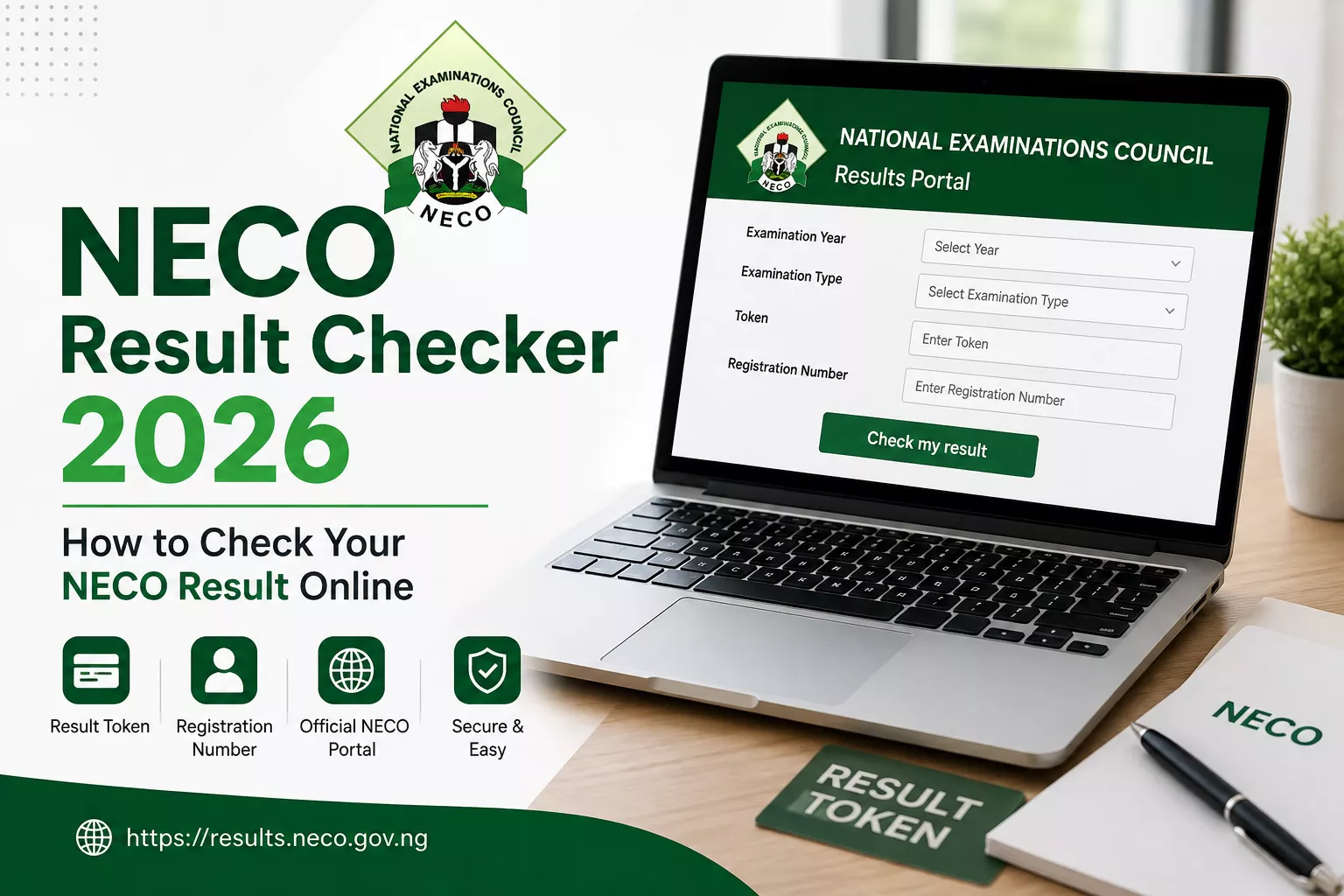
This guide explains how to check your NECO result, what information you need, where to enter your token, and what to do if you experience problems while checking your result.
How to Check Your NECO Result Online
Checking your NECO result online is straightforward. The official NECO Results Portal provides the fields needed to select your examination details, enter your token and registration number, and view your result.
Step 1: Visit the Official NECO Results Portal
Start by visiting the official NECO Results Portal:
Check Your NECO Result Online →
Make sure you are using the official NECO results website before entering your examination information.
Step 2: Select Your Examination Year
On the results page, select the year in which you took the NECO examination.
Choose the correct examination year carefully because your result is connected to your examination details.
Step 3: Select Your Examination Type
After selecting the examination year, choose the appropriate examination type from the available options.
Make sure the examination type matches the examination you sat for.
Step 4: Enter Your NECO Token
Enter your valid NECO result-checking token in the Token field.
Check the token carefully before continuing. If you purchased a token from an independent seller, keep your token private and do not share it publicly.
Step 5: Enter Your Registration Number
Enter the registration number associated with your NECO examination.
Check the registration number carefully to avoid entering incorrect information.
Step 6: Click “Check My Result”
After entering the required information, click the “Check my result” button.
If the details entered are correct and your result is available, the NECO Results Portal should display your result.
What Do I Need to Check My NECO Result?
Before starting the result-checking process, make sure you have the following:
- Your NECO examination year
- Your examination type
- Your NECO result-checking token
- Your NECO registration number
- A phone, tablet or computer with internet access
Having these details ready can make the result-checking process faster and easier.
Where Can I Buy a NECO Result Token?
If you do not have a result-checking token, you can purchase one from an independent token seller such as NECO Token.
Our current selling price is ₦2,500 per token. This is the price charged by our independent service and should not be interpreted as an official NECO fee or charge.
Buy NECO Result Token →
After successful payment through our website, the token is displayed after checkout and sent to the email address provided during the purchase.
Can I Check My NECO Result Without a Token?
A result-checking token is required when using the NECO Results Portal’s token-based result-checking process.
If you do not have a token, you can obtain one before attempting to check your result.
What If My NECO Result Token Is Not Working?
If your token is not accepted, first check that you entered it correctly. Also confirm that you selected the correct examination year and examination type.
If you purchased your token from NECO Token and believe there is a problem with your purchase, contact our support team with your order reference.
You can contact us through WhatsApp or email for assistance.
What If I Enter the Wrong Registration Number?
If you enter an incorrect registration number, the result may not be displayed correctly. Carefully compare the registration number you entered with the details provided during your examination.
Correct any mistake and try again.
Can I Use a Phone to Check My NECO Result?
Yes. You can access the NECO Results Portal using a smartphone, tablet or computer with an internet connection.
For the best experience, use a modern web browser and make sure your internet connection is stable while checking your result.
NECO Result Checker 2026: Quick Steps
- Visit the official NECO Results Portal.
- Select your examination year.
- Select your examination type.
- Enter your NECO token.
- Enter your registration number.
- Click “Check my result.”
Need a NECO Result Token?
If you are ready to check your NECO result but do not have a token, you can purchase a NECO result-checking token from our website.
Buy a NECO Result Token Now →
If you need help with your purchase, you can also contact us through WhatsApp.
Frequently Asked Questions About NECO Result Checking
What website do I use to check my NECO result?
Use the official NECO Results Portal at results.neco.gov.ng.
What do I need to check my NECO result?
You generally need your examination year, examination type, result-checking token and registration number.
How much is a NECO result token?
The current selling price on NECO Token is ₦2,500 per token. This is our independent selling price and is not presented as an official NECO fee.
Can I buy a NECO token online?
Yes. You can purchase a NECO result-checking token through the Buy NECO Token page.
Where should I enter my NECO token?
Enter your token in the Token field on the official NECO Results Portal, together with your examination year, examination type and registration number.
Important Disclaimer
NECO Token is an independent service provider/reseller and is not affiliated with or endorsed by the National Examinations Council (NECO).
The NECO Results Portal is operated by NECO. For official result-checking services and examination information, always use the official NECO website and results portal.
Official NECO Results Portal
To check your result, visit the official NECO Results Portal:
Official NECO Results Portal →
For more information about token prices and how to use a result-checking token, read our NECO Result Token Price Guide.
NECO Result Token Price in Nigeria: Where to Buy & How to Use It
The NECO result token price in Nigeria is an important detail to know if you need to check a NECO result online. This guide explains where to buy a NECO result token, how to use it, and how to check your result.
NECO Result Token Price in Nigeria
The current selling price of a NECO result token on NECO Token is ₦2,500 per token.
The price shown on this website is the price for purchasing a token from our independent service. Prices charged by other sellers may be different.
Need a NECO Result Token?
Get your NECO result-checking token online and receive your token after successful payment.
Buy NECO Token →
Where Can I Buy a NECO Result Token?
You can purchase a NECO result-checking token online through Necotoken.com.ng. The website provides an online checkout designed to make the purchasing process simple on both mobile phones and computers.
After a successful payment, your token is displayed for you and sent to the email address provided during checkout.
If you prefer assistance with your purchase instead of using the online checkout, you can also contact our support team through WhatsApp.
WhatsApp: 09017746445
If you are comparing the NECO result token price before making a purchase, check the total price and delivery process before completing your order.
How to Buy a NECO Result Token Online
Follow these simple steps:
- Visit the Buy NECO Token page.
- Select the number of tokens you need.
- Enter your email address and phone number.
- Review your order and proceed to payment.
- Complete the payment securely through Paystack.
- After successful payment, your token will be displayed and sent to your email.
How to Use a NECO Result Token
After purchasing your token, you can use it on the official NECO result-checking portal.
- Go to the official NECO Results Portal.
- Select the appropriate examination year.
- Select the examination type.
- Enter your NECO result-checking token.
- Enter your examination registration number.
- Follow the instructions on the official portal to check your result.
Check Your NECO Result →
What Is a NECO Result Token?
A NECO result token is a digital token used for accessing a candidate’s result through the NECO result-checking system.
The token should be kept private after purchase. Do not share your token publicly or with people you do not trust.
Can I Buy More Than One NECO Result Token?
Yes. If you need tokens for more than one result-checking transaction, you can select the quantity you need during checkout, subject to the available stock.
Each token is delivered individually so that you can use the appropriate token when checking a result.
How Long Does It Take to Receive the Token?
NECO Token is designed for digital delivery. After a successful payment, your token is displayed on the confirmation page and is also sent to the email address you provided during checkout.
Always make sure that your email address is entered correctly before completing your purchase.
What If I Have Trouble Paying Online?
If you are not comfortable using the online payment process, you can contact us through WhatsApp for assistance with purchasing a token.
WhatsApp: 09017746445
RELATED POST
How to Buy NECO Result Token Online in 2026
NECO Result 2026: Release Date, How to Check and What You Need
NECO Result Checker 2026: How to Check Your Result Online
Frequently Asked Questions About NECO Result Tokens
How much is a NECO result token?
The current selling price on NECO Token is ₦2,500 per token. Prices from other independent sellers may vary.
Where do I check my NECO result?
NECO results should be checked through the official NECO Results Portal. You can access it here: results.neco.gov.ng.
Can I buy a NECO token online?
Yes. You can purchase a NECO result-checking token online through the Buy NECO Token page.
Will I receive the token by email?
Yes. After successful payment, the token is displayed after checkout and sent to the email address provided during your purchase.
Can I buy multiple tokens?
Yes. You can select the quantity you need during checkout, subject to available stock.
Is NECO Token affiliated with NECO?
No. NECO Token is an independent service provider/reseller and is not affiliated with or endorsed by the National Examinations Council (NECO).
Buy Your NECO Result Token
Need a token to check your NECO result? You can purchase one online and receive your token after successful payment.
Buy NECO Result Token →
If you need assistance with your purchase, contact us on WhatsApp at 09017746445.
Important Notice
NECO Token is an independent service provider/reseller and is not affiliated with or endorsed by the National Examinations Council.
For official NECO information and result checking, always use the official NECO website and official result portal.